What is Docker?
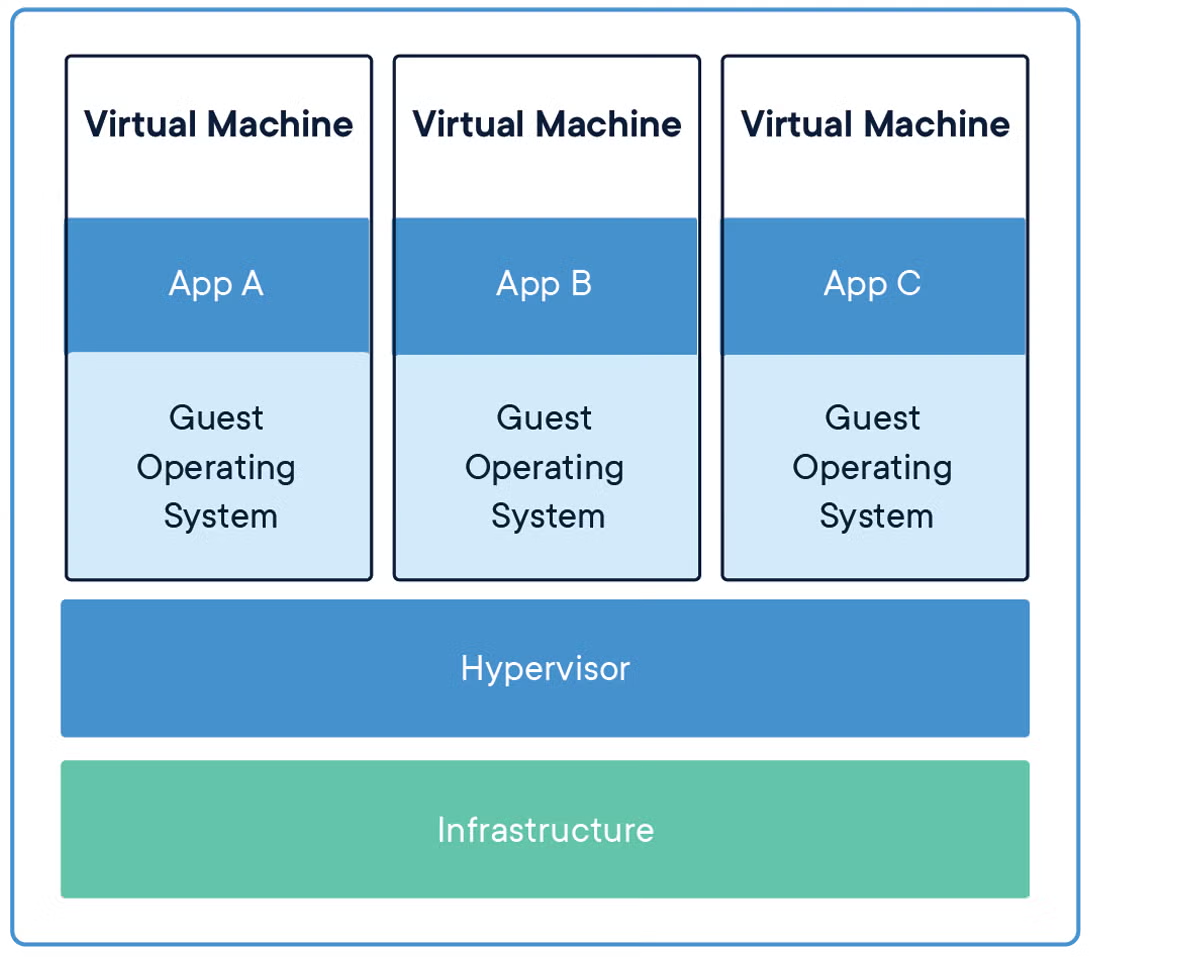
Docker is a containerization platform, similar to a virtual machine (VM) except that it is lighter-weight by sharing the kernel of its host computer's operating system.
A kernel is the part of the operating system which delegates resources and manages the execution of applications, and manages the communication between different processes. It also controls file system management and networking.
To understand this, let's first look at how virtual machines operate on a computer.
Now, compare that to how containerized applications run on Docker:
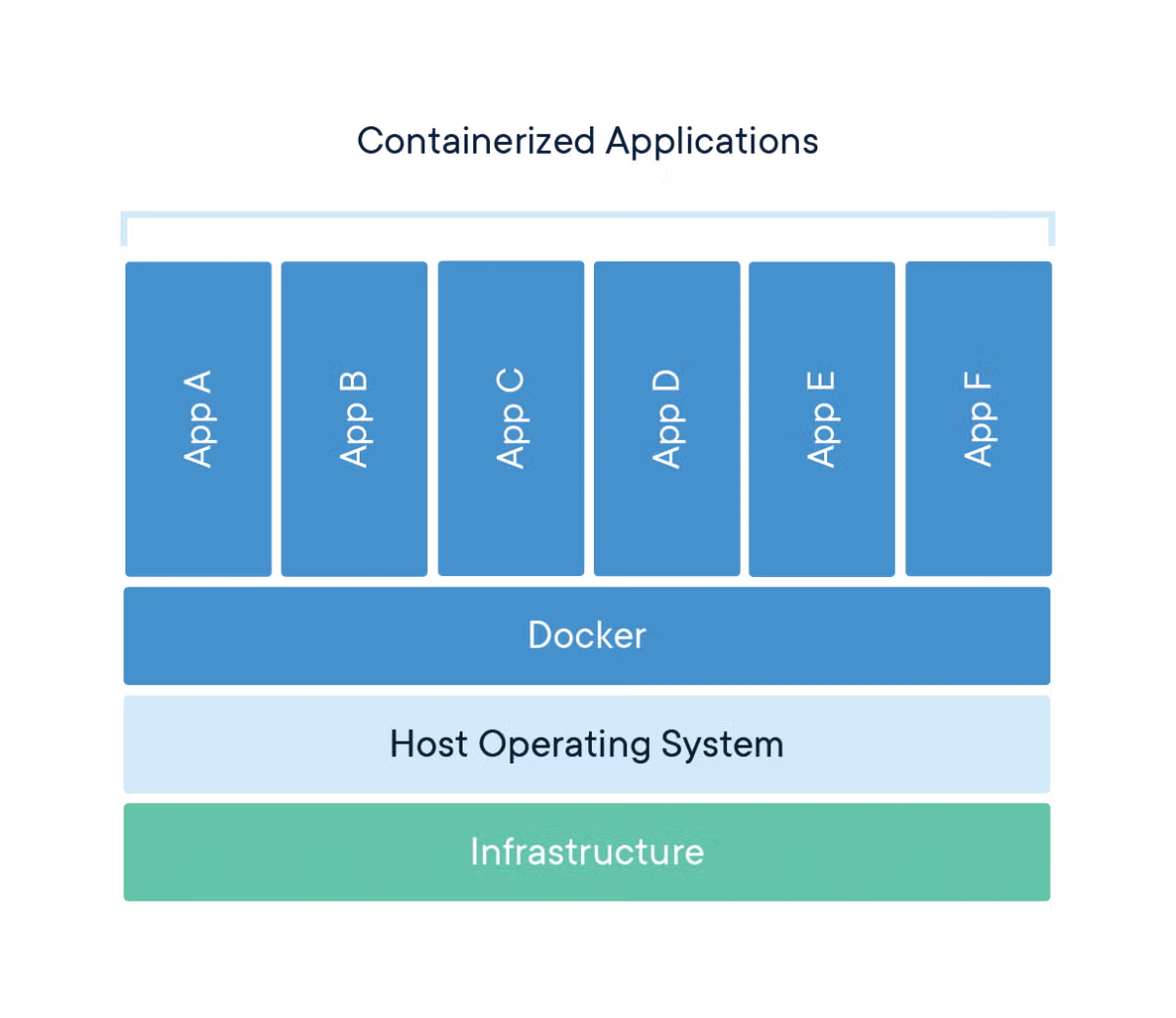
Giving containers access to the kernel provides the functionality for applications to set up only the configurations they need, making containerization with Docker much more lightweight than creating separate virtual machines for each application.
Containers and Images
The official Docker website defines a container as:
A container is a standard unit of software that packages up code and all its dependencies so the application runs quickly and reliably from one computing environment to another (article link)
Essentially, a container holds everything necessary to run an application except for a kernel, which it shares with the host computer.
It also defines container images:
A Docker container image is a lightweight, standalone, executable application that includes everything needed to run an application: code, runtime, system tools, system libraries, and settings (article link)
Essentially, this means that container images allow you to create containers on your local machine when you execute them.
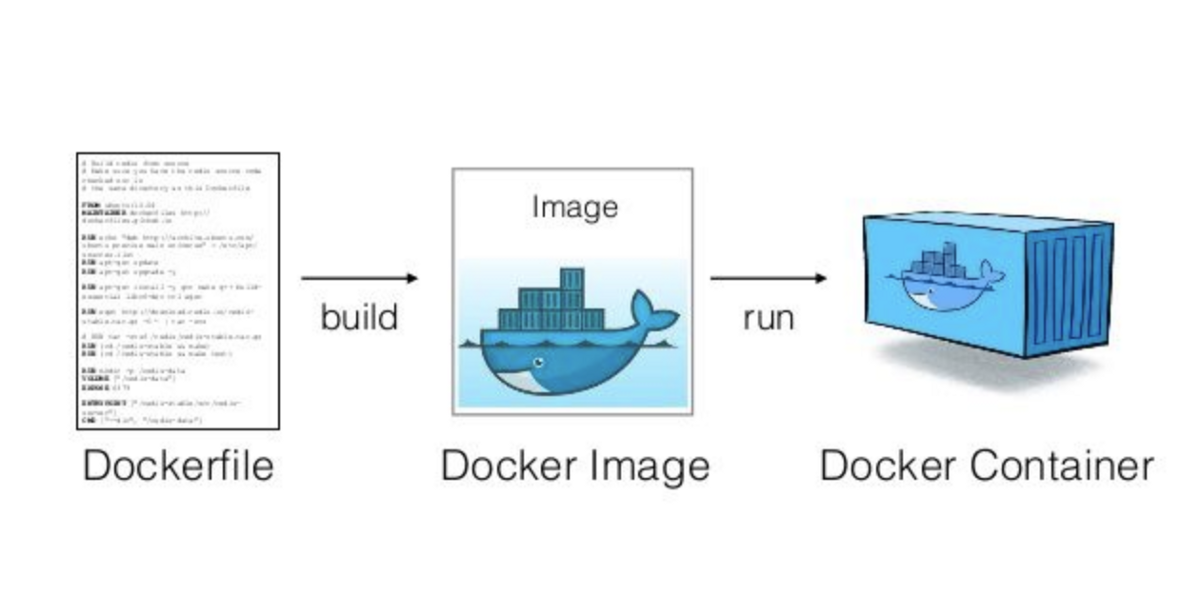
A docker container image is created from a dockerfile (more about this in this AWS article). Running an image produces a container! (image from this CTO.ai article)
You use a container image to create a container on your local machine. You can get images from various online libraries, including Docker Hub and Amazon ECR, or create your own!